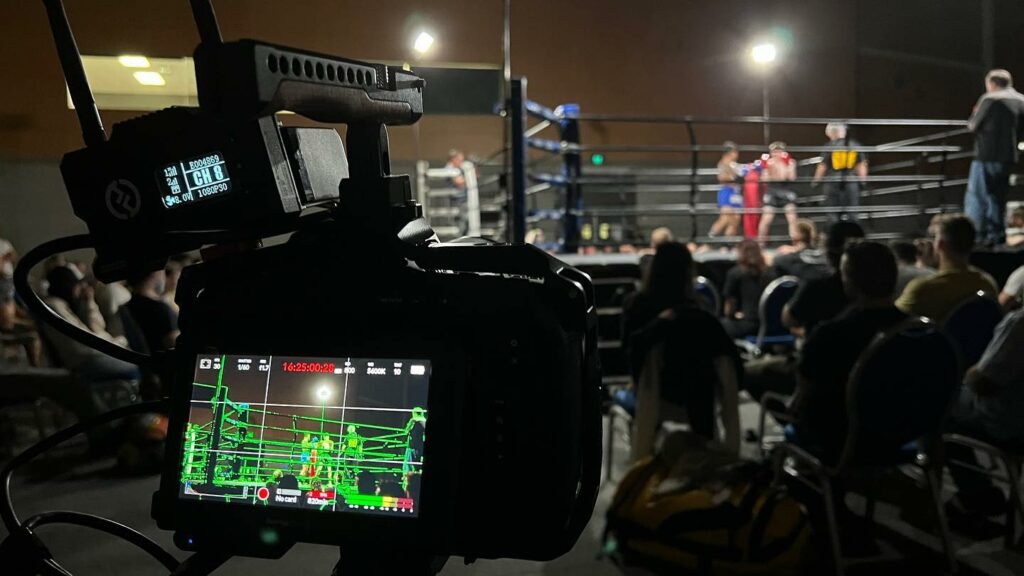
Live streaming has become an essential way to connect with audiences, whether for corporate conferences, weddings, concerts, or sporting events. Done well, it can expand your reach and create lasting impact. Done poorly, it can frustrate viewers and damage your brand. To help you deliver a flawless broadcast, here are the top 10 mistakes to avoid when live streaming your event.
1. Neglecting Pre‑Event Testing
One of the biggest mistakes event organizers make is failing to test equipment and connections before going live. A live stream is a complex production that relies on multiple moving parts, cameras, microphones, lighting, encoders, and internet connections. If even one of these fails during the broadcast, the entire experience can be compromised.
Running a full rehearsal is essential. This means setting up all equipment exactly as it will be used on the day, checking that cameras are properly framed and focused, microphones are delivering clear audio, and lighting is balanced to avoid shadows or glare. Internet stability should also be tested by running a speed test and simulating the live stream for at least 15-20 minutes to ensure there are no drops in connection.
For example, imagine a corporate conference where the keynote speaker’s microphone cuts out halfway through because it wasn’t tested with the streaming software. The audience online misses critical content, and the brand’s credibility suffers. Or consider a wedding livestream where the camera angle wasn’t rehearsed, resulting in the couple being partially out of frame during the vows. These are preventable issues that a dry run would have revealed.
2. Relying on Weak Internet Connections
Streaming requires a strong and stable internet connection, and relying on public Wi‑Fi or low‑speed networks is one of the most common mistakes event organizers make. Public connections are often shared by dozens of users, which means bandwidth fluctuates and can easily cause buffering, pixelated video, or even complete dropouts. For instance, imagine a product launch where the CEO’s big announcement freezes mid‑sentence because the stream was running on hotel Wi‑Fi. Not only does this frustrate viewers, but it also undermines the professionalism of the event.
To avoid these pitfalls, it’s essential to invest in dedicated internet access or bonded connections that combine multiple networks for redundancy. A dedicated line ensures your stream has priority bandwidth, while bonded connections provide a safety net if one source fails. For example, a sports tournament streamed with bonded LTE and fiber connections can continue smoothly even if the fiber line experiences a temporary outage. By prioritizing internet reliability, you safeguard the viewing experience and protect your brand’s reputation.
3. Poor Audio Quality
Audiences will often forgive slightly grainy video, but they will not tolerate distorted or unclear sound. Poor audio instantly breaks immersion and makes even the most visually polished stream feel unprofessional. A common mistake is relying on built‑in laptop or camera microphones, which tend to pick up background noise, echo, or muffled voices. For example, imagine a keynote speaker at a corporate seminar whose words are drowned out by the hum of an air conditioner because the microphone wasn’t properly isolated. The audience quickly loses focus, and the message fails to land.
To avoid this, always use professional microphones and audio mixers that deliver crisp, balanced sound. Sennheiser microphones are ideal for presenters who move around, while shotgun microphones work well for panel discussions or ceremonies. Audio mixers allow you to fine‑tune levels, ensuring that voices are clear and background music or ambient sounds don’t overpower the stream. For instance, a wedding livestream with properly mixed audio captures the couple’s vows with perfect clarity, while still allowing guests to hear the soft background music. By prioritizing audio quality, you create a professional and engaging experience that keeps viewers connected from start to finish.
4. Ignoring Lighting Conditions
Bad lighting can ruin even the best camera setup, and it’s one of the most overlooked aspects of live streaming. Dark venues, uneven lighting, or harsh backlighting can make subjects appear shadowed, washed out, or even invisible to viewers. For example, imagine a panel discussion where the speakers are seated in front of a large window. Without proper lighting adjustments, the camera will expose for the bright background, leaving the speakers’ faces in darkness. This not only diminishes the viewing experience but also makes the event look unprofessional.
To avoid these pitfalls, it’s important to use professional lighting rigs or coordinate with the venue’s technical team to ensure subjects are well lit and visible. Softbox lights or LED panels can provide even illumination, while spotlights can highlight key speakers or performers. In a wedding livestream, for instance, adding subtle fill lighting ensures the couple’s expressions are captured clearly, even in a dimly lit reception hall. Similarly, at a corporate event, balanced stage lighting prevents shadows and keeps presenters looking sharp on camera. By prioritizing lighting, you elevate the overall production quality and ensure your audience remains engaged throughout the stream.
5. Not Having a Backup Plan
Technical failures are an unavoidable reality in live streaming, but the difference between a smooth recovery and a complete broadcast collapse lies in preparation. Without backup equipment or redundant streaming paths, you risk losing your entire event feed if something goes wrong. For instance, imagine a corporate product launch where the primary camera suddenly stops working mid‑presentation. If there’s no secondary camera ready to switch to, the audience is left staring at a frozen frame, and the momentum of the event is lost. Similarly, if a microphone battery dies during a keynote speech, the audio feed could cut out entirely, leaving remote viewers frustrated and disengaged.
The solution is to always have spare cameras, microphones, and a secondary internet connection on standby. Redundant streaming paths such as bonded LTE and fiber connections ensure that if one network fails, the stream continues seamlessly on another. At a sports tournament, for example, a backup encoder can be activated instantly if the primary system overheats, preventing downtime during critical moments of the game. By planning for contingencies and building redundancy into your setup, you safeguard the integrity of your broadcast and maintain audience trust, even when unexpected technical issues arise.
6. Overlooking Viewer Engagement
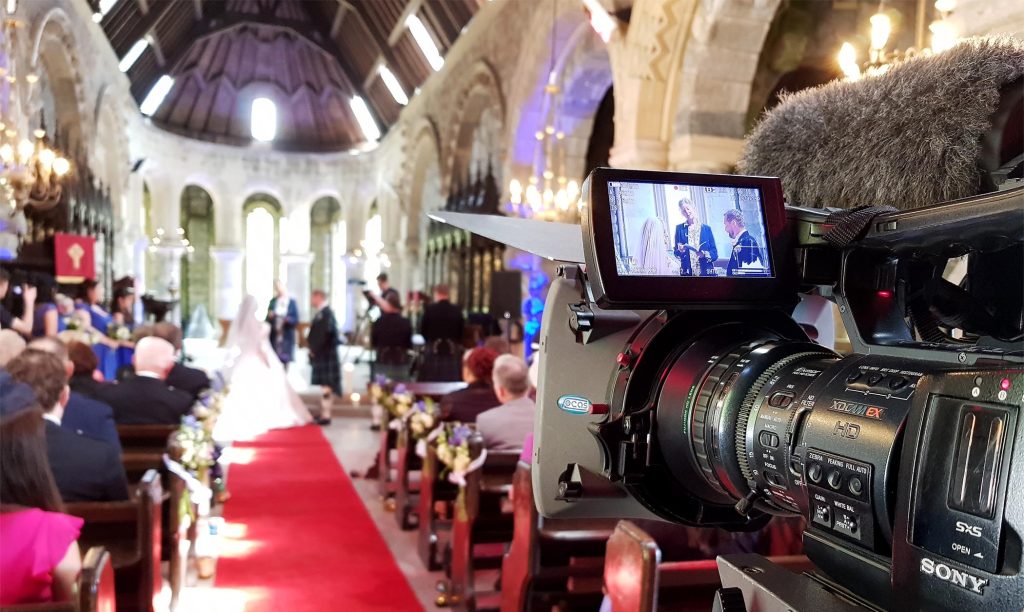
Live streaming isn’t just about broadcasting content, it’s about creating an interactive experience that keeps viewers engaged. A common mistake is treating the stream as a one‑way transmission, where the audience simply watches without any opportunity to participate. This can make even the most polished production feel flat and disconnected. For example, imagine a corporate webinar where the presenter speaks for an hour without acknowledging the online audience. Viewers quickly lose interest, and many may drop off before the session ends. Similarly, a concert livestream without any interaction can feel less exciting compared to one where fans can comment, vote on setlists, or send shout‑outs.
To avoid this, build in opportunities for audience participation. Features like live chat, polls, and Q&A sessions give viewers a voice and make them feel part of the event. For instance, during a product launch, you could run a live poll asking attendees which feature excites them most, then highlight the results in real time. At a wedding livestream, a moderated chat allows distant guests to send congratulatory messages that the couple can read later. These interactive elements not only keep viewers engaged but also provide valuable feedback and foster a sense of community around your event.
7. Skipping Professional Encoding
Encoding and transcoding are critical processes that ensure your live stream is optimized for different devices and varying internet speeds. Without them, viewers may experience lag, poor resolution, or even complete playback failures. A common mistake is relying on basic software or default settings, which often cannot handle the demands of a large, diverse audience. For example, imagine a global conference where attendees join from smartphones, laptops, and smart TVs. If the stream isn’t properly transcoded, mobile viewers might see pixelated video while desktop viewers experience buffering, leading to frustration and disengagement.
To deliver a smooth experience, professional encoders should be used to enable adaptive bitrate streaming. This technology automatically adjusts video quality based on each viewer’s internet speed, ensuring uninterrupted playback. For instance, at a sporting event livestream, a viewer with high‑speed fiber can enjoy crisp HD quality, while someone watching on a slower mobile connection still receives a stable stream without buffering. By investing in robust encoding and transcoding solutions, you guarantee that every viewer regardless of device or bandwidth receives the best possible experience, reinforcing the professionalism and reliability of your broadcast.
8. Unclear Branding and Messaging
A live stream without clear branding often feels generic and forgettable, even if the technical quality is excellent. Forgetting to include overlays, logos, or branded introductions is a missed opportunity to reinforce your identity and build recognition with your audience. For example, imagine a corporate conference broadcast where the stream begins abruptly with no branded intro or lower‑third graphics identifying speakers. Viewers may enjoy the content, but they won’t associate the experience with your organization, and the chance to strengthen brand awareness is lost. Similarly, a wedding livestream without tasteful overlays or a branded title card may feel less polished, reducing its emotional impact.
To avoid this, incorporate professional graphics and consistent messaging throughout the stream. Branded intros set the tone at the start, overlays can display speaker names or event details, and logos placed subtly in the corner remind viewers who is delivering the experience. For instance, a sports tournament livestream that uses dynamic scoreboards and team logos not only enhances viewer engagement but also reinforces the event’s identity. In a corporate product launch, branded transitions between segments can make the broadcast feel cohesive and professional. By weaving branding into the visual design, you elevate the production value and ensure your audience remembers not just the event, but the brand behind it.
9. Failing to Record the Event
Many organizers overlook the importance of recording their live stream, but failing to do so means losing valuable content that could be repurposed for marketing, training, or archiving. A live broadcast is fleeting once it ends, the moment is gone unless it has been captured. For example, imagine a corporate seminar where a keynote speaker delivers groundbreaking insights. If the stream isn’t recorded, those insights cannot be shared with employees who missed the event, nor can they be used later as promotional material. Similarly, a wedding livestream without a recording denies the couple the chance to relive their vows and share the experience with future generations.
Recording your live stream ensures that the event continues to deliver value long after the broadcast ends. The footage can be edited into highlight reels, training modules, or promotional clips, extending its reach and impact. For instance, a sports tournament recording can be repackaged into highlight videos for social media, keeping fans engaged even after the final whistle. In a corporate context, recorded sessions can be archived for compliance purposes or used as on boarding material for new employees. By always capturing the event, you transform a one‑time broadcast into a long‑term asset that strengthens your brand and preserves important memories.
10. Underestimating Technical Support Needs
Trying to manage every aspect of a live stream on your own is risky, because even small technical issues can quickly escalate into major disruptions. Without a dedicated technical team monitoring the stream, problems like audio distortion, camera misalignment, or bandwidth drops may go unnoticed until viewers start complaining. For example, imagine a corporate conference where the presenter’s microphone begins to cut in and out. If no one is actively monitoring the audio levels, the issue could persist for the entire session, leaving remote attendees frustrated and disengaged. Similarly, at a wedding livestream, a camera battery might die mid‑ceremony, and without a technician ready to switch to a backup, the most important moments could be lost.
Professional support ensures smooth delivery and allows organizers to focus on the event itself rather than troubleshooting. A skilled technical team manages setup, monitors the stream in real time, and responds instantly to any issues. For instance, during a sports tournament, technicians can adjust encoding settings on the fly if internet speeds fluctuate, preventing buffering for viewers. At an award ceremony, they can seamlessly switch between multiple camera angles, ensuring the broadcast feels polished and dynamic. By relying on professional support, you not only safeguard the technical quality of your stream but also free yourself to concentrate on delivering an exceptional event experience.
Final Thoughts
Live streaming has the power to elevate any event, but success depends on precision and preparation. Each element whether it’s testing equipment, securing strong internet, prioritizing audio and lighting, or planning for contingencies plays a critical role in shaping the viewer’s experience. When these fundamentals are overlooked, even the most exciting event can fall flat online. By approaching your broadcast with the same care and attention as the event itself, you ensure that audiences remain engaged, connected, and impressed from start to finish.
Avoiding common mistakes is more than just damage control; it’s about building trust and strengthening your brand. A flawless stream reflects professionalism, reassures clients, and leaves viewers with a lasting positive impression. Whether you’re hosting a corporate conference, a wedding, or a global product launch, precision in execution transforms your live stream from a simple broadcast into a powerful extension of your event. By investing in the right preparation and support, you not only deliver a seamless experience but also position your brand as a leader in professional live streaming solutions.